
There are two Versions of backup/restore tools.
The swupdate version is our new standard and will replace the livesystem in the future.
LiveSystem (Version 1)
With our LiveSystemLinux distribution you can boot your machine from either a microSD Card or from a USB flash drive and backup or restore the internal flash drives.
LiveSystem guide available soon.
SWUpdate (Version 2)
SWUpdate is a Linux Update agent with the goal to provide an efficient and safe way to update an embedded system.
SWUpdate supports local and remote updates, multiple update strategies.
SWUpdate is developed by Stefano Babic from DENX, and is licensed under GPL Version 2.0+
You can check SWUpdate's online documentation at: http://sbabic.github.io/swupdate
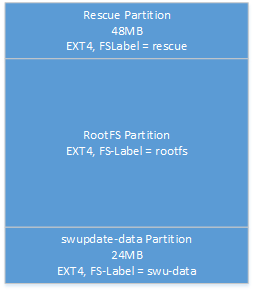
Partition scheme on eMMC/NANDFLASH images using swupdate
|
Name |
Description |
|---|---|
|
Rescue |
The rescue partition contains a minimal linux system, which is only responsible for the execution of the swu files. This partition is used in case of an update or backup of the system. |
|
RootFS |
The RootFS partition contains the productive system with the corresponding application, qiwi, codesys, etc..
|
|
swupdate-data |
This partition is only used for the common data of the rescue and rootfs partition, e.g. the network configuration and export files. |
Atomic Update
Atomic update avoids that power-cut and network loss can brick your device. New software is always full installed or update is interrupted letting the device running. There is no partial software update as with package-based update.
Zero copy
SWUpdates has a small footprint – if configured, it does not create temporary copies and the incoming packets are directly installed on the storage. The whole process (decompression, decryption) is done on chunks in memory, making life harder for attacker.
Authenticity of update
Update packages are signed and verified by SWUpdate to authenticate an authorized and trusted update. SWUpdate supports signing with RSA keys and with cerificates using an own PKI infrastructure.
Update everything
SWUpdate is able to update all components of your device:
-
Bootloader
-
Linux Kernel
-
Root filesystem
-
Application
Reliable
Atomic update avoids that power-cut and network loss can brick your device (except bootloader and rescue system).
Hardware compatibility
SWUpdate verifies that delivered software can be applied to the device. A hardware compatibility map is applied to any release.
Backup System
SWUpdate can backup your entire system into a swu file
Rescue System
With the rescue system the device can be restored at any time
SWUpdate GUI
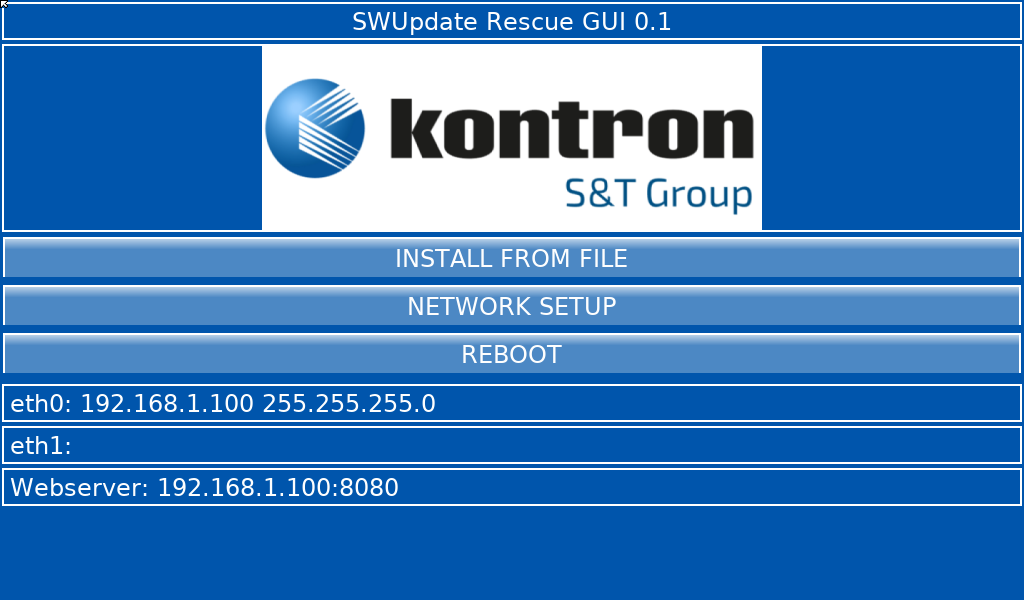
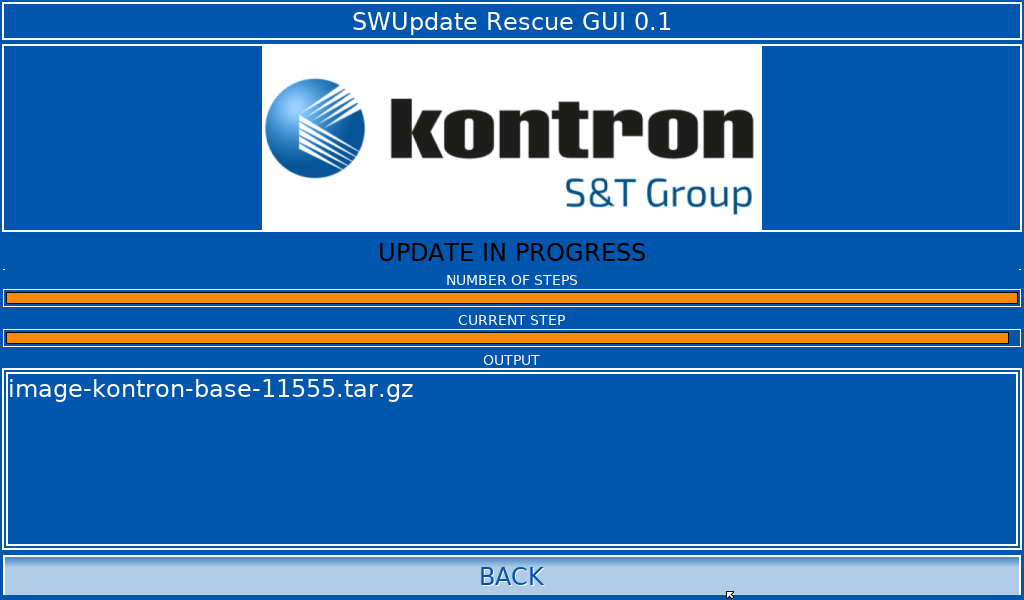
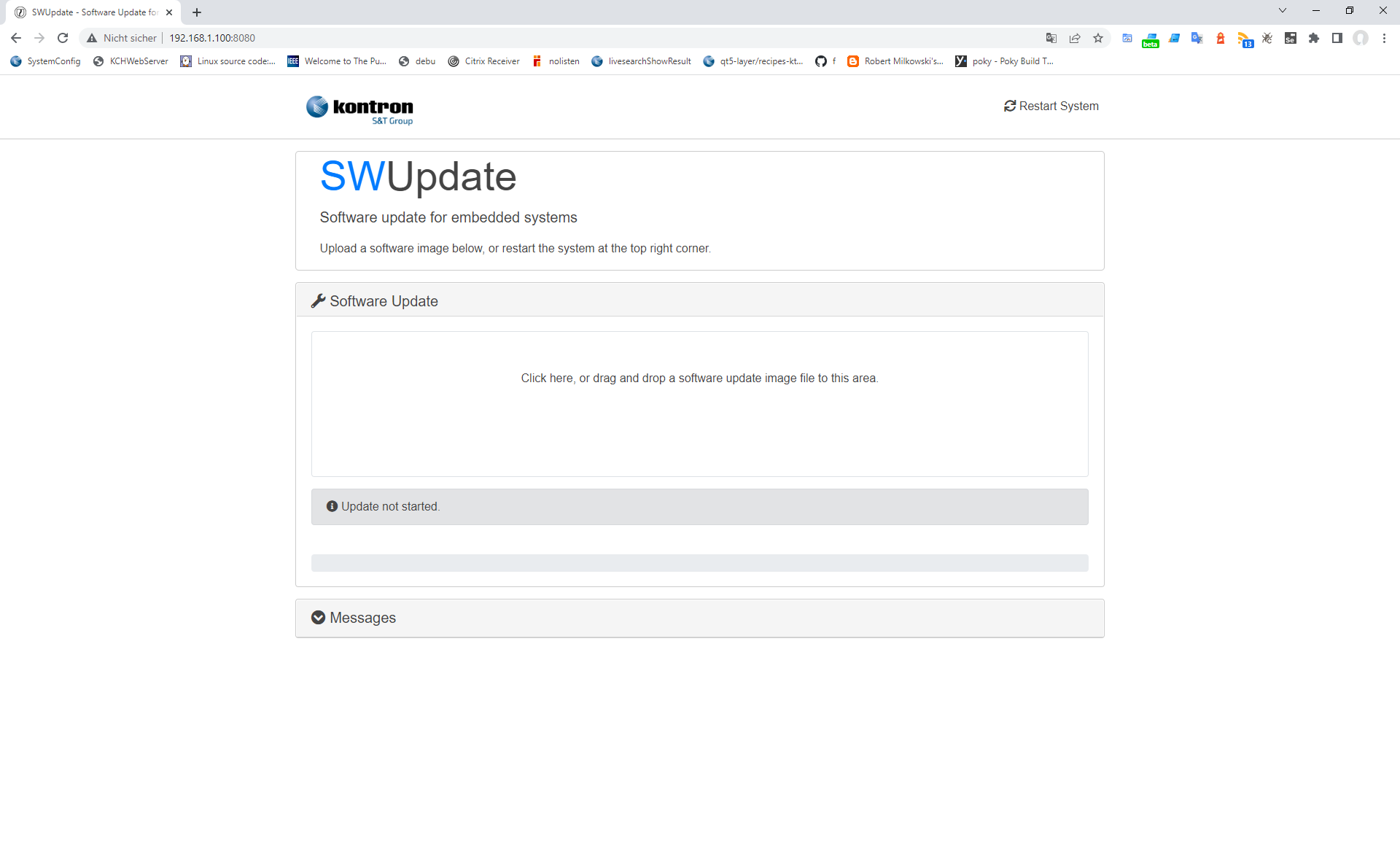
The rescue partition where the swu file is executed contains a gui for the display as well as a webinterface where an update can be optionaly started.
Running SWUpdate
An update or backup can be started via the system configuration menu or by command line
Commands:
|
Name |
Description |
Options |
|---|---|---|
|
swu-create |
This tool creates a SWU file from the current system. |
--key=KEYFILE
|
|
swu-update |
This tool starts the software update process.
|
-e <sw>,<mode> --select=<sw>,<mode>
|
Update Versions in Images
Both Version will work with the newest Images.
|
Image |
LiveSystem Backup/Restore (old Version) |
Swupdate Backup/Restore (new Version) |
|---|---|---|
|
01028 |
< 010280D |
>= 010280E |
|
01056 |
< 010560B |
>= 10560C |
|
01023 |
010230x |
-- |
|
01071 |
< 010710B |
>= 010710C |
|
01070 |
< 010700B |
>= 010710C |
|
01085 |
-- |
>= 10560C |
|
|
|
|
|
01021 |
010210x |
-- |
|
00947 |
009470x |
-- |
|
01009 |
010090x |
-- |
|
01007 |
010070x |
-- |
|
01013 |
< 010130K |
>= 010130L |
|
01026 |
010260x |
-- |
|
|
|
|
|
00948 |
009480x |
-- |
|
01024 |
010240x |
-- |
|
01010 |
010100x |
-- |