
The OpenVPN settings are displayed here.
Figure: OpenVPN
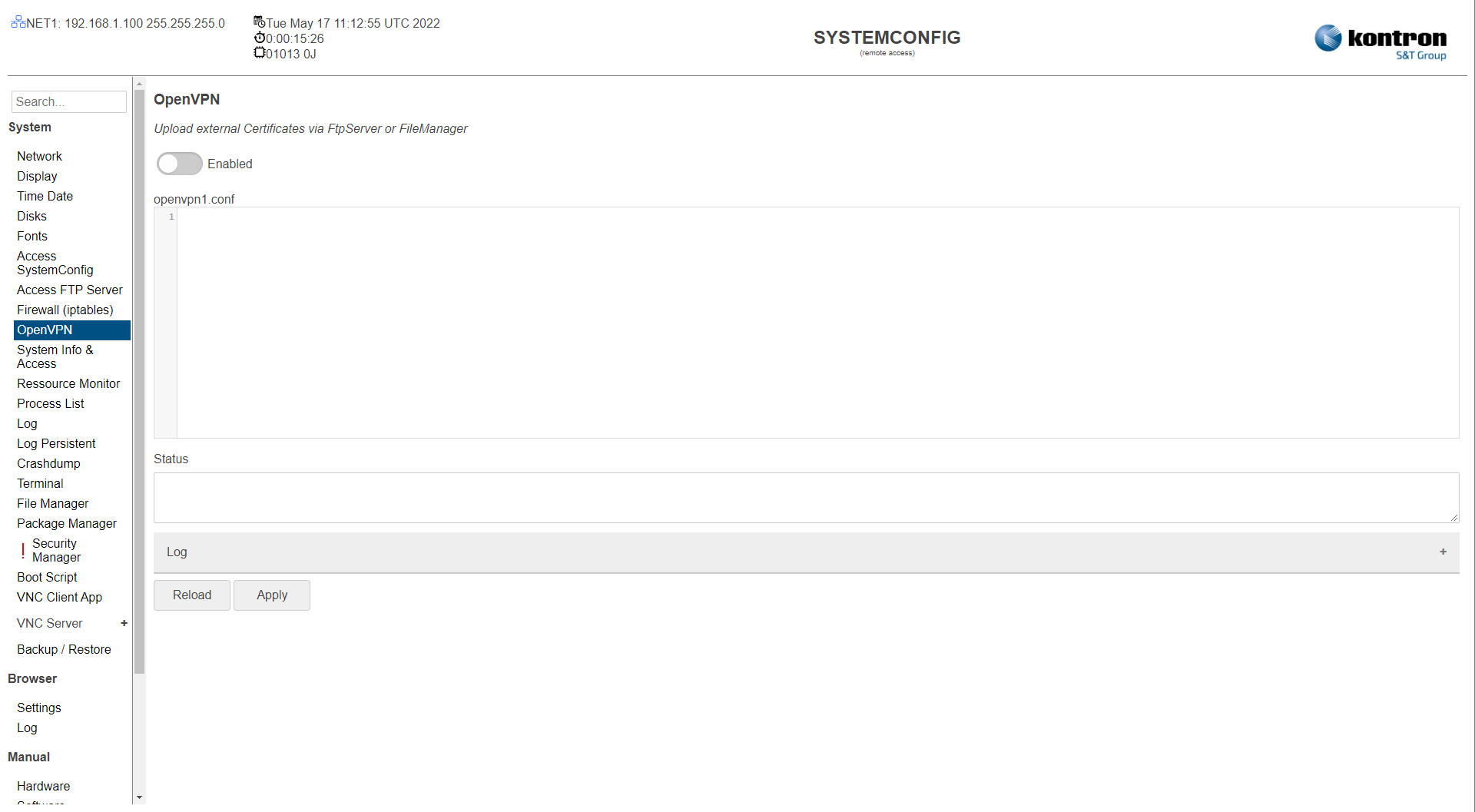
Table: OpenVPN
|
Setting |
Description |
Default |
|---|---|---|
|
Enable |
Enable OpenVPN . |
Off |
|
openvpn1.conf |
OpenVPN configuration file entries |
|
|
Status |
OpenVPN status information |
|
|
Log |
OpenVPN log information |
|
The settings can be saved with the Apply button and directly applied to the system without rebooting or reloaded with the Reload button.
openVPN still doesn't work?
Handling Error Message in Webconfig->OpenVPN
When facing following error Message...
Unsupported cipher in --data-ciphers: BF-CBC
Options error: --data-ciphers list contains unsupported ciphers or is too long.
Use --help for more information.
...
... try the described settings below.
- Check if DNS-Nameserver is set in Webconfig->Network
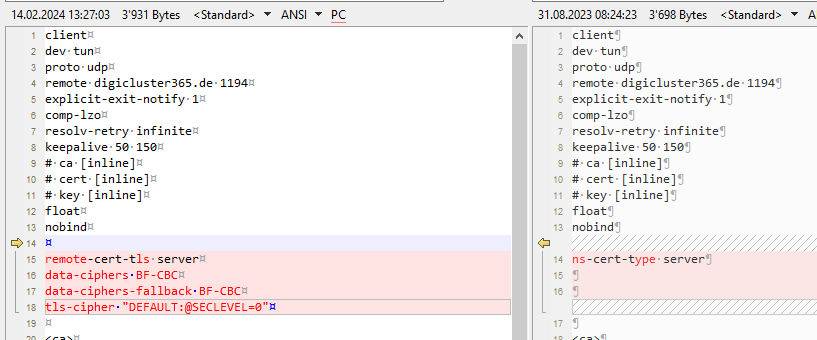
- Add following to the Webconfig ->openvpn1.conf standard text:
Replace: ns-cert-type server with
remote-cert-tls server
data-ciphers BF-CBC
data-ciphers-fallback BF-CBC
tls-cipher "DEFAULT:@SECLEVEL=0"
Add the following on the bottom line:
# Auto Generated Log Redirect
log-append /var/log/openvpn.log
Everything described with Screenshots:

Add following settings in /etc/ssl/openssl.conf:
[provider_sect]
legacy = legacy_sect
[default_sect]
activate = 1
[legacy_sect]
activate = 1