
Under this menu item the system time and the system date can be changed.
Figure: Time Date
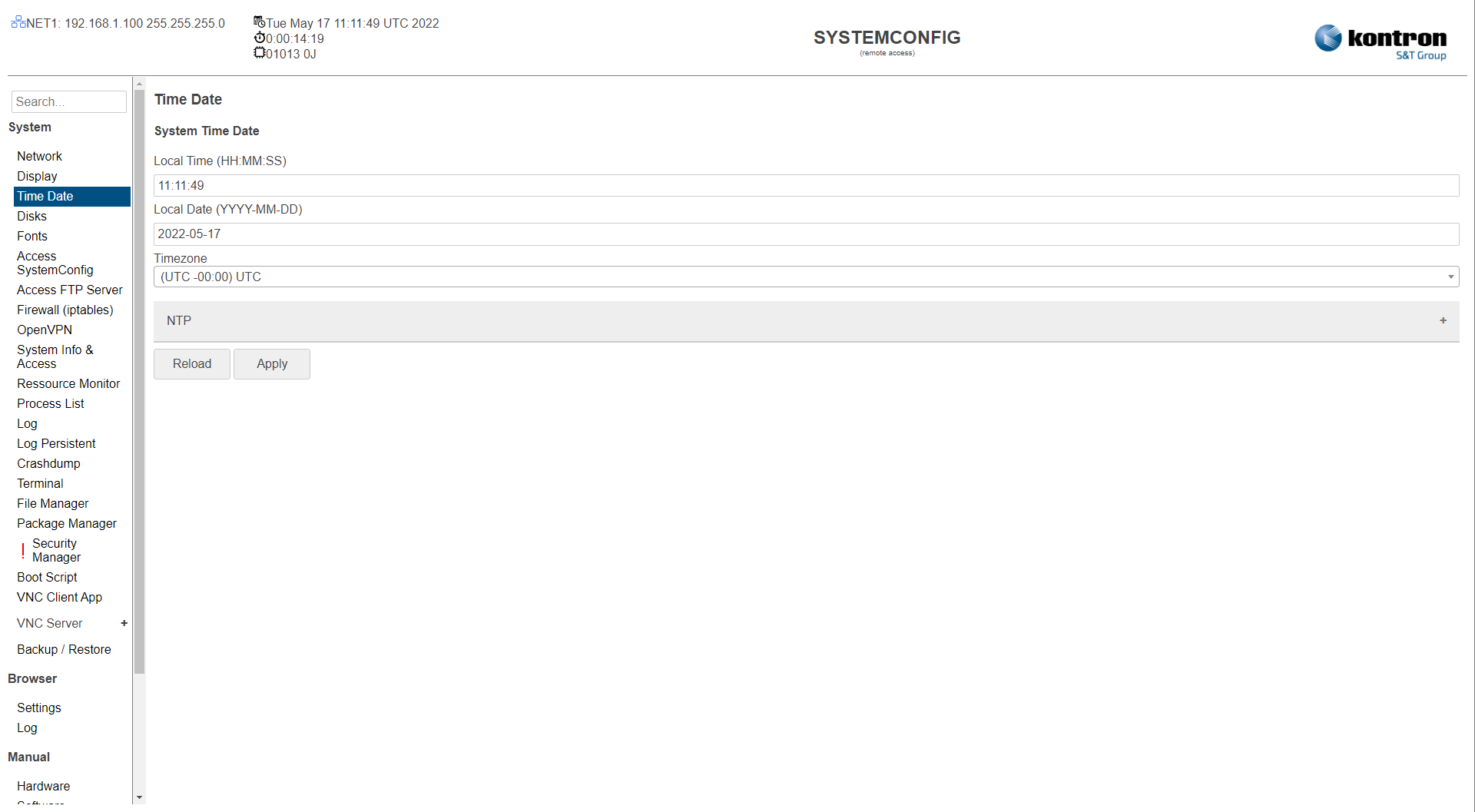
Table: State
|
Setting |
Description |
Default |
|---|---|---|
|
State |
shows the current status RTC: Local Time Synchronized time with onboard RTC on boot. NTPCU: Local Time trying to connect and sync time with ntp server. NTPCS: Local Time synced with ntp server. NTPS: Local Time served to other clients in network. |
|
Table: System Time Date
|
Setting |
Description |
Default |
|---|---|---|
|
Local Time (HH:MM:SS) |
System time (from RTC if available) in format (hours:minutes:seconds) |
RTC (if available) or NTP |
|
Local Date (YYYY-MM-DD) |
System date (from RTC if available) in format (year-month-day) |
RTC (if available) or NTP |
Table: Timezone
|
Setting |
Description |
Default |
|---|---|---|
|
Timezone |
Time zone (with summer/winter time changeover) |
UTC |
Table: NTP
|
Setting |
Description |
Default |
|---|---|---|
|
Mode (Disabled/Basic/Expert) |
Disabled: NTP Service disabled Basic: simple configuration mode used in most application Expert: full access of all settings for the ntp service using the ntp.conf file. |
Disabled |
Table: NTP Basic
|
Setting |
Description |
Default |
|---|---|---|
|
Mode (Synchronize clock with NTP Server/Serve clock to NTP Clients) |
Synchronize clock with NTP Server: Local Time synchronisation from a ntp time server. Serve clock to NTP Clients: Local Time serving to other ntp clients in network. |
Synchronize clock with NTP Server |
|
Primary NTP Server |
First address of ntp server to sync with local time. |
|
|
Secondary NTP Server |
Second address of ntp server to sync with local time, if primary address not reached. |
|
Table: NTP Expert
|
|
|
|
|---|---|---|
|
NTP Script |
Local NTP script on the system ("/etc/ntp.conf") Variable: ForceFirstSync, can be used to sync the time before starting the service with ntpdate. |
Default script |
|
ntpstat |
Will report the synchronisation state of the NTP daemon running on the local machine. If the local system is found to be synchronised to a reference time source, ntpstat will report the approximate time accuracy. |
|
|
list peers |
Is used to monitor NTP daemon ntpd operations and determine performance. |
|
The settings can be saved with the Apply button and directly taken over in the system without rebooting (RTC if available) or reloaded with the Reload button.