
Here you can set the access and system settings for the system configuration.
Figure: Access SystemConfig
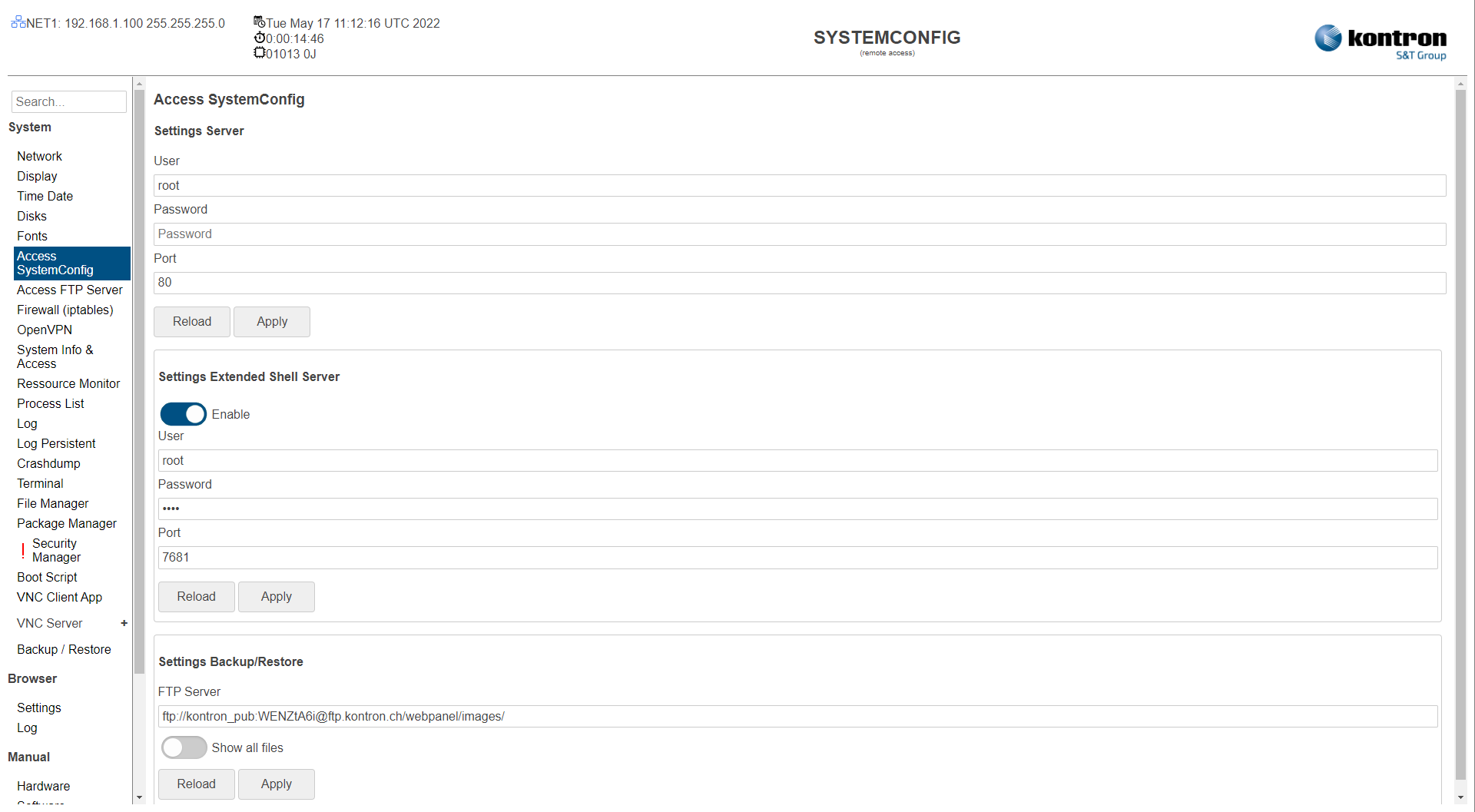
Table: Settings WebConfig Server
|
Setting |
Description |
Default |
|---|---|---|
|
User |
SystemConfig User name |
root |
|
Password |
SystemConfig User password |
root |
|
Port |
SystemConfig Port |
80 |
|
Enable SSL/HTTPS |
Enable/Disable HTTPS access to server |
Disabled |
Table: Settings Terminal Server
|
Setting |
Description |
Default |
|---|---|---|
|
Enable |
Terminal Server using ttyd Server (Terminal in menu) |
Enabled |
|
User |
Access User Name |
root |
|
Password |
Access User Password |
root |
|
Settings Extended Shell Server Port |
Port of the ttyd server |
7681 |
|
Enable SSL/HTTPS |
Enable/Disable HTTPS access to server |
Disabled |
Table: Settings Backup/Restore
|
Setting |
Description |
Default |
|---|---|---|
|
Settings Backup/Restore FTP Server |
URL for FTP server of the backup/restore function. |
Kontron Electronics AG FTP Server |
|
Settings Firmware Show all files |
Off: Only the latest image version is listed for the backup/restore function. On: All available files are listed for the backup/restore function. |
Off |
The settings can be saved with the Apply button and directly applied to the system without rebooting or reloaded with the Reload button.