-
Navigate to the Debian download webpage (https://www.debian.org/releases/bullseye/debian-installer/) and download the ISO image for the amd64 architecture.
-
Write ISO File to a USB Stick (for example with rufus, https://rufus.ie)
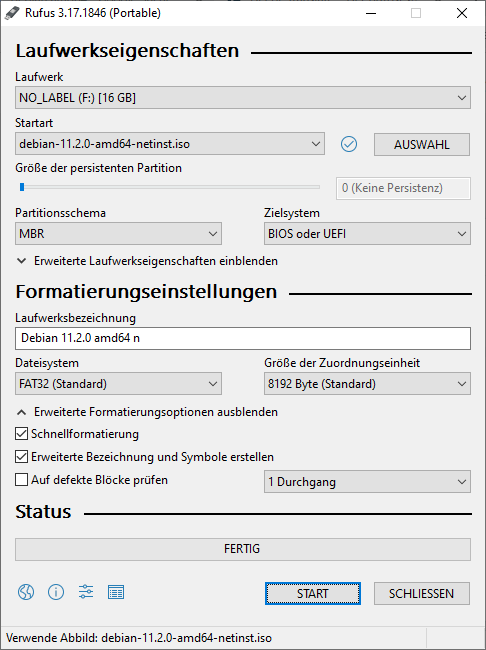
-
PlugIn USB Stick to E38xx Device and Power on Device
-
Install Debian to internal eMMC
-
Set system date to current date (e.g.
date -s "2022-03-02") -
Add KCH Repository and install KCH Board Driver Packages:
Bashapt-get install wget gnupg wget ftp://kontron_pub:WENZtA6i@ftp.kontron.ch/debian/11/conf/add_repo.sh bash add_repo.sh apt-get update wget ftp://kontron_pub:WENZtA6i@ftp.kontron.ch/debian/11/conf/install-e38xx.sh bash install-e38xx.sh
