
Each system contains a status led.
This led shows the current status of the system.
The position of the status led on the different boards can be found in the section below "Status LED on the board" or in the corresponding product manual.
|
LED |
Description |
Behavior |
|---|---|---|
|
status |
System is off (Power OFF) or bootloader is loaded. |
off |
|
status |
System in Bootsystem |
off |
|
status |
Booting Linux |
Blinking:
|
|
status |
System in rescue partition (maintenance condition for updating and backuping the device) |
Blinking:
|
|
status |
System in rootfs partition (Normal condiftion for running default system with custom apps and settings) |
Blinking:
|
|
|
|
|
|
status |
The system performs an installation/execution
|
Blinking:
|
|
status |
An error occurred while processing an installation/execution. |
Flashing:
|
|
status |
Installation/Execution completed successfully. |
On |
|
|
|
|
|
status |
The LED is freely available to the application |
|
Status LED on the board
The blue marking shows the position of the status led on the board.
Depending on the design of the housing, the status led may be partially hidden.
|
Board Type |
Graphic Position on Layout |
|---|---|
|
i.MX6 WP/CP/CU (3x) Board i.MX8M Mini WP (4x) Board |
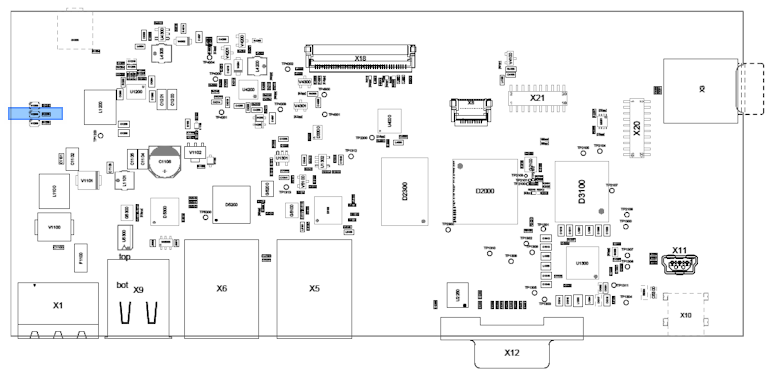
|
|
i.MX6ul/ull BL/AL Board |
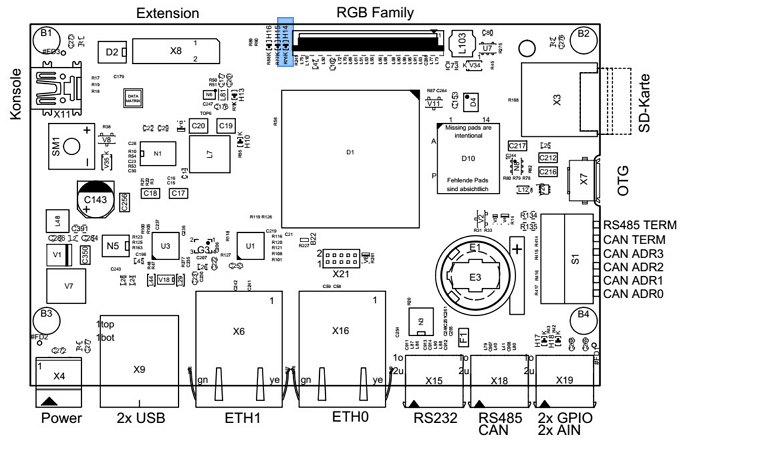
|
|
i.MX8M Mini BL/AL Board |
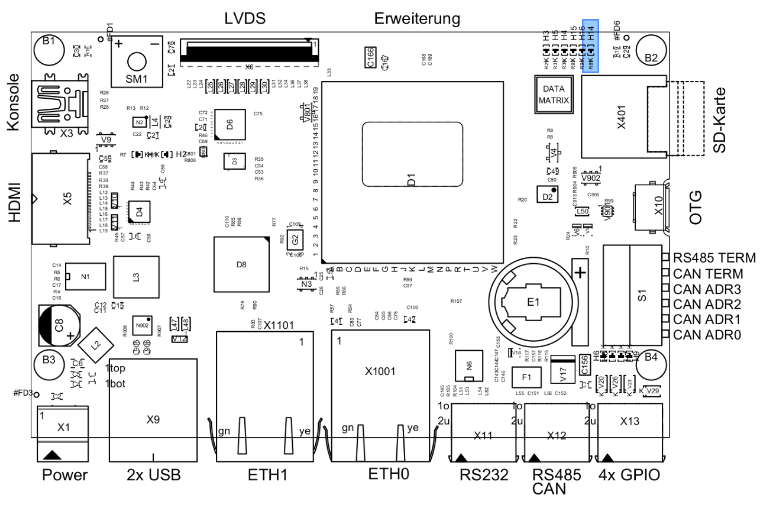
|